

No LagOptimized server for smooth performance


EXMU SEASON21 - Game System
Learn how to access and use the extra functions panel within the game
Step 1: Opening the Menu
Tap the 3 bars (hamburger menu icon) to expand the extra functions within the game.
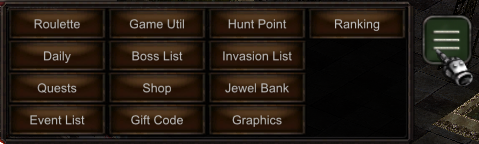
The 3 bars icon is typically located in the game interface. Click it to reveal additional options.
Step 2: Access Game Util Panel
Access Game Util to expand the function panel for your character.
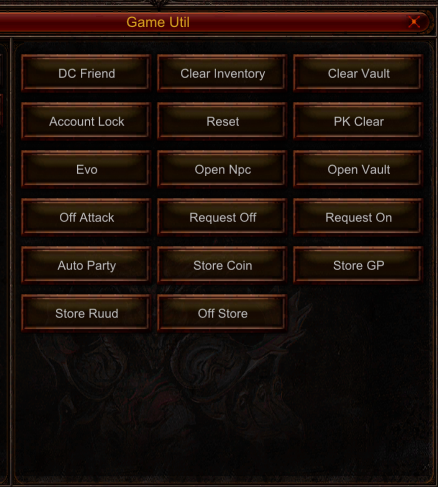
The Game Util panel provides access to various character functions and utilities that enhance your gameplay experience.
What You Can Do with Game Utils
- Access character-specific functions quickly
- Manage various in-game utilities from one location
- Customize your gameplay experience
- Use advanced features without opening multiple menus
- Streamline your game interface
Quick Tips
| Location | Look for the 3-bar icon in your game interface |
| Access | Single click on the icon to expand the menu |
| Usage | Available at any time during gameplay |
| Closing | Click the icon again or press ESC to close |
Important Notes
First Time Users
Take time to explore all available functions in the Game Util panel to familiarize yourself with the features.
Menu Organization
Functions are organized by category for easy navigation and quick access.
The Game Utils panel is an essential tool for efficient gameplay. Make sure to explore all available options!
views