

No LagOptimized server for smooth performance


EXMU SEASON21 - Sub-Account & First login in-game
Hello adventurers, welcome to the Account Panel! Here you can manage everything about your account. Below are some essential features and how to use them.
1. Open the Dashboard
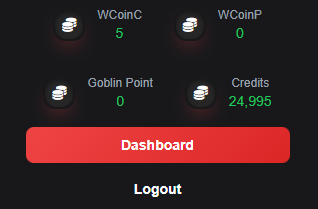
The Dashboard is where you'll manage your main and sub-accounts.
2. Create Alternative (Sub-)Accounts
You no longer need to register multiple times with different emails. Our intelligent Sub-Accounts system allows you to create and manage all your accounts within a single MAIN account panel.
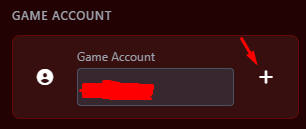
- Press the blue [+] button.
- Set your login and password for the sub-account.
- Press 'Create Game Account'.
Your account has been created. You now need to go to your email and confirm the new account. Please Logout and access your account again. Now you can manage all your accounts from the same panel.
3. Credits, VIP, WCoin & Ruud
- Your credits are global and always remain on your MAIN account.
- You can buy VIP for a Sub-Account without needing to relog.
- WCoin & Ruud are individual for each account, not shared.
- Before purchasing VIP, make sure you have at least one selected sub-account (see image above as an example).
views